Back to prompts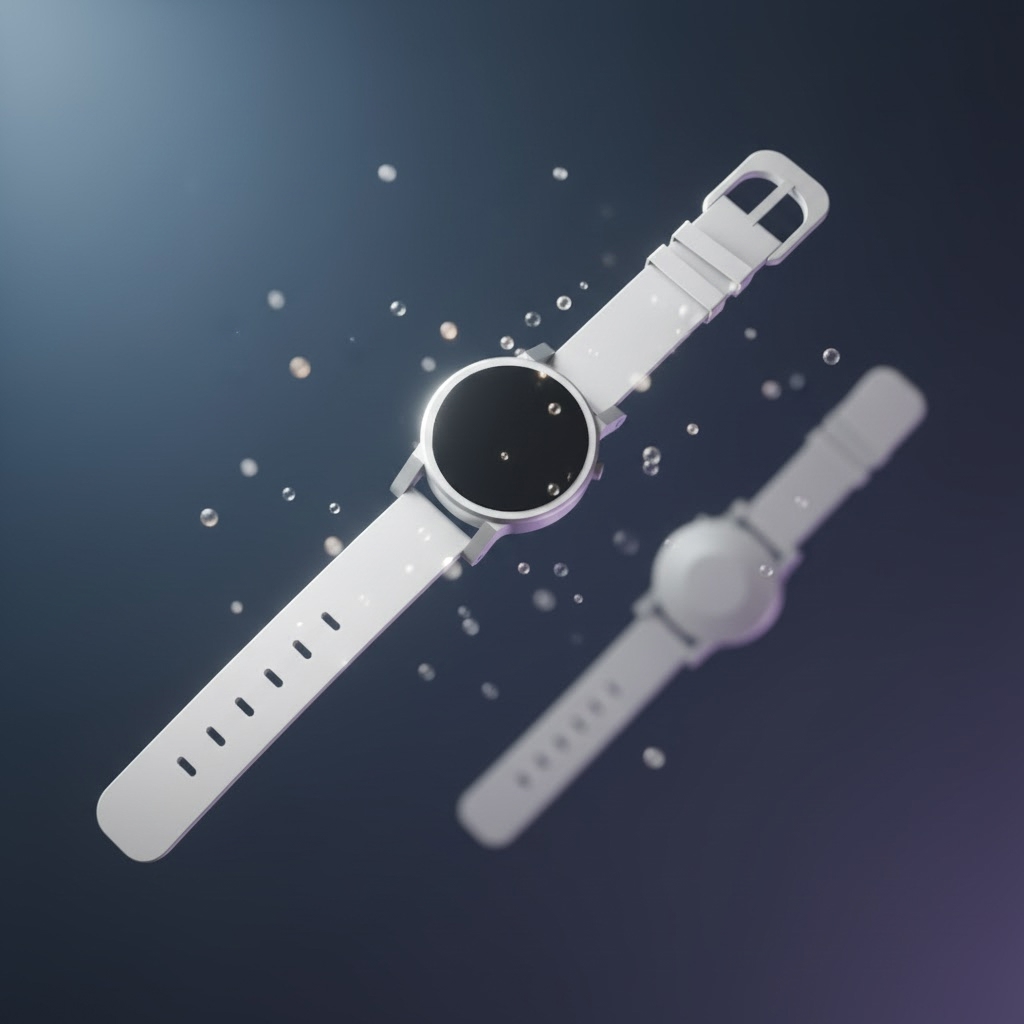
Product shot
Default Image · 1 credit · 1:1Product → watch floating
Suspended in mid-air with floating particles, cool slate backdrop.
job:
mjob_e94034c1-a66b-4b9e-bd96-ad3bed73c627The prompt
Verbatim. Paste this into your agent — Claude, ChatGPT, Cursor, or Hermes — and it will submit the job via MCP Media Engine.
transform the watch into a luxury floating product shot, suspended in mid-air with soft floating particles, deep gradient backdrop in cool slate, professional studio key light from above-left, no text, no logos, no brand marksRun it in 3 steps
01 · install + key
Wire MCP Media Engine into your agent
Get a key at app.mcpmediaengine.com and set the env var.
npx -y mcp-media-engine

# set MEDIAENGINE_API_KEY in your env
# get a key at https://app.mcpmediaengine.com
02 · attach photo
Drop your image into the chat
Selfie, pet, product, or room — attach to your agent or paste any image URL.
# either:
# • attach the image to your agent chat
# • paste any image URL in the prompt

input_image_url: "https://your-image-url.jpg"
denoising_strength: 0.65  # recommended for img2img
03 · paste prompt
Run the prompt
The agent submits the job and returns the asset URL.
prompt: "transform the watch into a luxury floating product shot, suspended in mid-air with soft floating particles, deep gradient backdrop in cool slate, professional studio key light from above-left, no text, no logos, no brand marks"
aspect_ratio: "1:1"
model: "nano-banana"
Model + credits
Live model catalog: /models. Credit costs surfaced at request time and echoed in the response.
Works in
This prompt is designed to run in any of these MCP-compatible agents. The wiring is the same — only the agent UI changes.
Claude
ChatGPT
Cursor
Hermes
Best for
ICP: brands/content teams producing launch hero shots without a studio.
Frequently asked
Where did the example image come from?▶
Generated via POST /api/jobs (image, nano-banana, denoising 0.62). Job ID mjob_e94034c1-a66b-4b9e-bd96-ad3bed73c627. Verified output at api.mcpmediaengine.com.